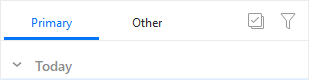
This feature sorts your messages in your Inbox into separate email categories. The supported email categories are Personal, Promotions, Social, Updates and Forums. It is also possible for a message to have No Category. These categories can be synchronized with mail servers that support them, such as Google, which is why the names or number of categories cannot be changed.
You can also organize these categories into specific tabs, such as Primary, Other, keep specific categories as separate tabs, or just show All.
This feature is designed to help you prioritize messages in your Inbox so you can check just specific categories first.
You can customize the default tabs for all your accounts in Menu > Settings > Mail >Categories section. You can also turn off/on the full feature here. Read about its options here.
For Gmail accounts, categories are synchronized from the server while eM Client uses its own algorithm to sort messages for other accounts.
If the default categorization does not fit your preference, you can manually How to change a category of the given message.
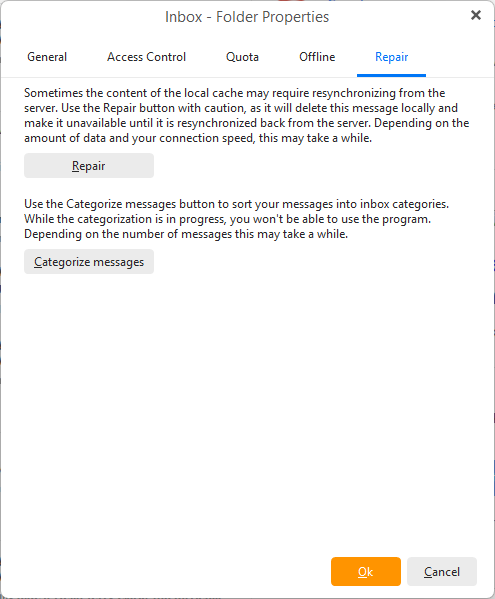
If the initial categorization failed you can try to repair it via right-click on the Inbox > Properties > Repair tab > click Categorize messages.
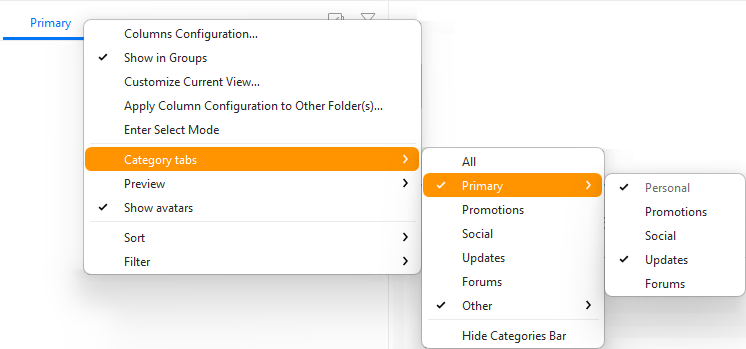
While you can set the defaults in menu > Settings > Mail > Categories you can change the category tabs at any time directly in the main window.
Simply right-click the tabs or top of the message list and then hover over the Category tabs section.
You can customize the tabs differently for a specific account or Hide Categories Bar for this inbox.
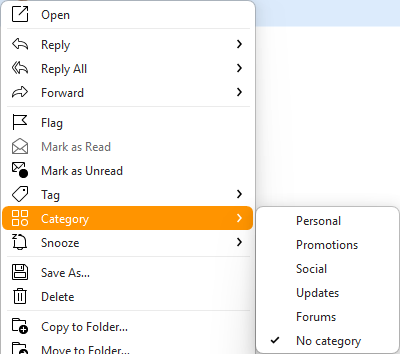
The easiest was to specify a new category the message should be sorted into is via right-click on the message and then selecting Category and specifying one of the options - Personal, Promotions, Social, Updates, Forums or No Category.
You can also drag and drop the message onto the desired tab, though if you use a combined tab such as Primary, Other or All you will need to specify which category should be selected.
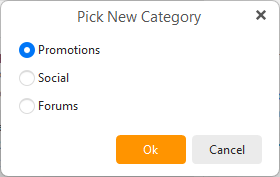
In both cases, a confirmation window will pop up about Category Rules that can be created based on this manual change.
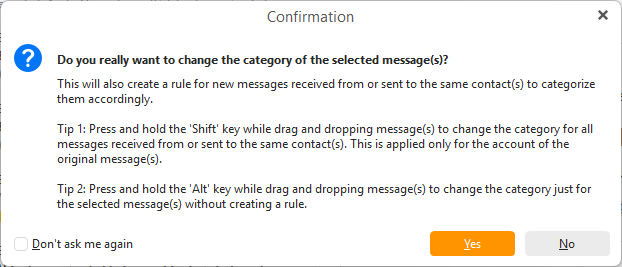
Custom rules and all category settings can be modified or removed in menu > Settings > Mail > Categories section.
Note: Creating and editing rules for Google accounts is not available with Free license.